 Lifely
 on every screen
Lifely for Mac
Lifely runs on your Mac as a full app in its own window. Get it from the Mac App Store, sign in with the account from your phone, and your whole timeline is there: every event, photo and memory, now with room to breathe.
Your whole life, on a big screen
Lifely is a life timeline and diary for iPhone, iPad, Android, Mac and the web. On a Mac it opens into one calm view: the menu on the left, your timeline in the middle, and on the right today's overview with your latest events and the memories waiting for you.
Scroll, and the years glide past. Click an event and it slides open right beside the timeline, with its photos, the people who were there, your note and the song that was playing.
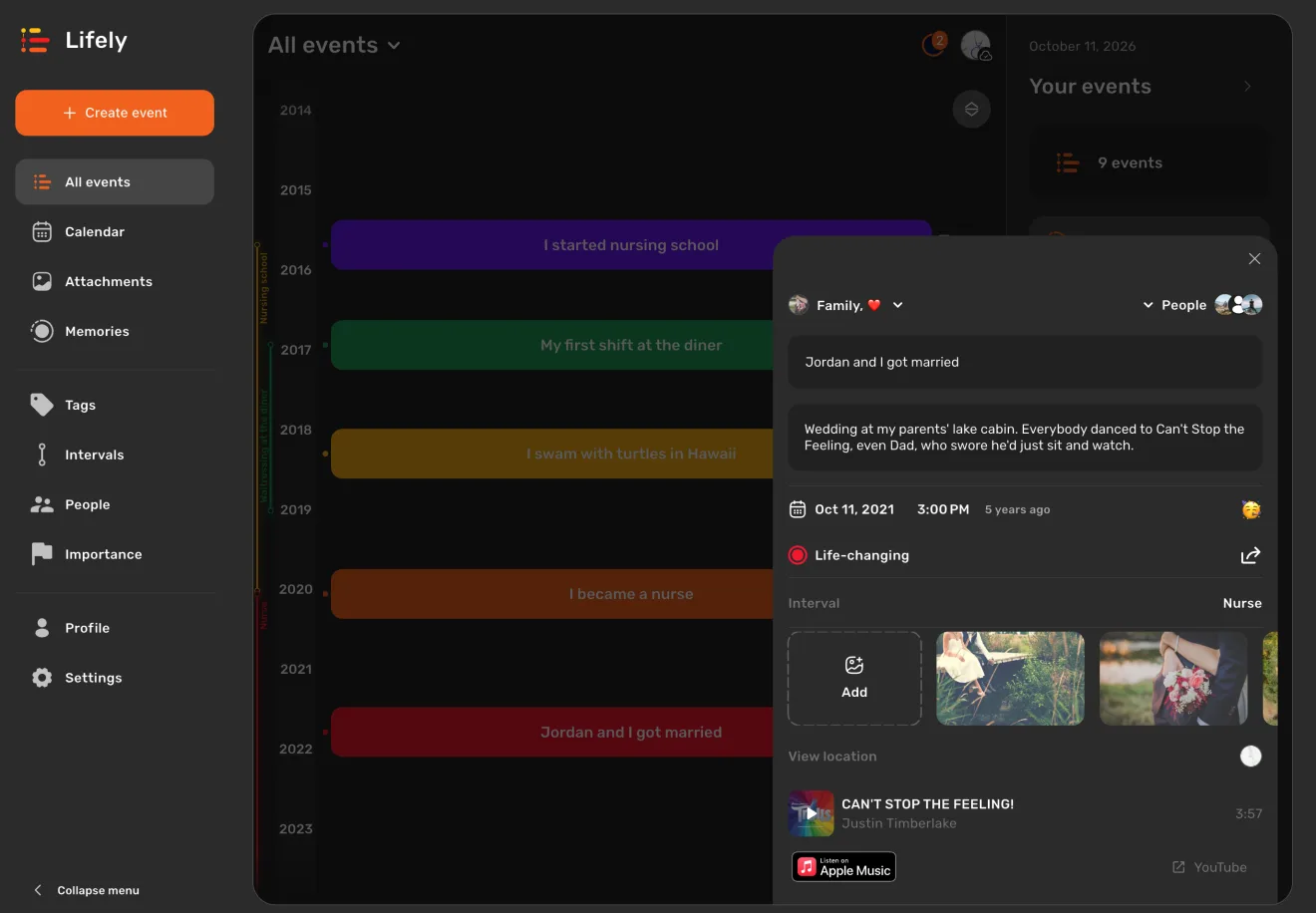
A Mac is also where the long stories get written. With a real keyboard, a two-word note becomes the whole day. Flip through an event's photos with the arrow keys. Make the window bigger or smaller and the layout follows, keeping the same date and zoom on your timeline. Need more room? Click Collapse menu at the bottom of the side menu.
Install Lifely on your Mac
- Open the listing. Follow the Lifely Mac App Store link. It opens Lifely by Sheep Apps Inc in the App Store.
- Click Get. Confirm with your Apple Account if the App Store asks. Lifely appears in your Applications folder like any other app.
- Sign in the way you do on your phone. Choose Apple or Google, whichever you used before, and your diary loads. New to Lifely? Pick either one and add your first moment.
You need a Mac with Apple silicon (M1 or later) and macOS 12 or newer. To check, open the Apple menu and choose About This Mac. On an Intel Mac, use Lifely in your browser.
One diary on every screen
Jot down a moment on your phone while you're out. That evening, open your Mac: it's on your timeline, ready for photos and the full story. Lifely keeps one diary across iPhone, iPad, Android phones and tablets, Mac and the web, and syncs it through your account whenever your devices are online.
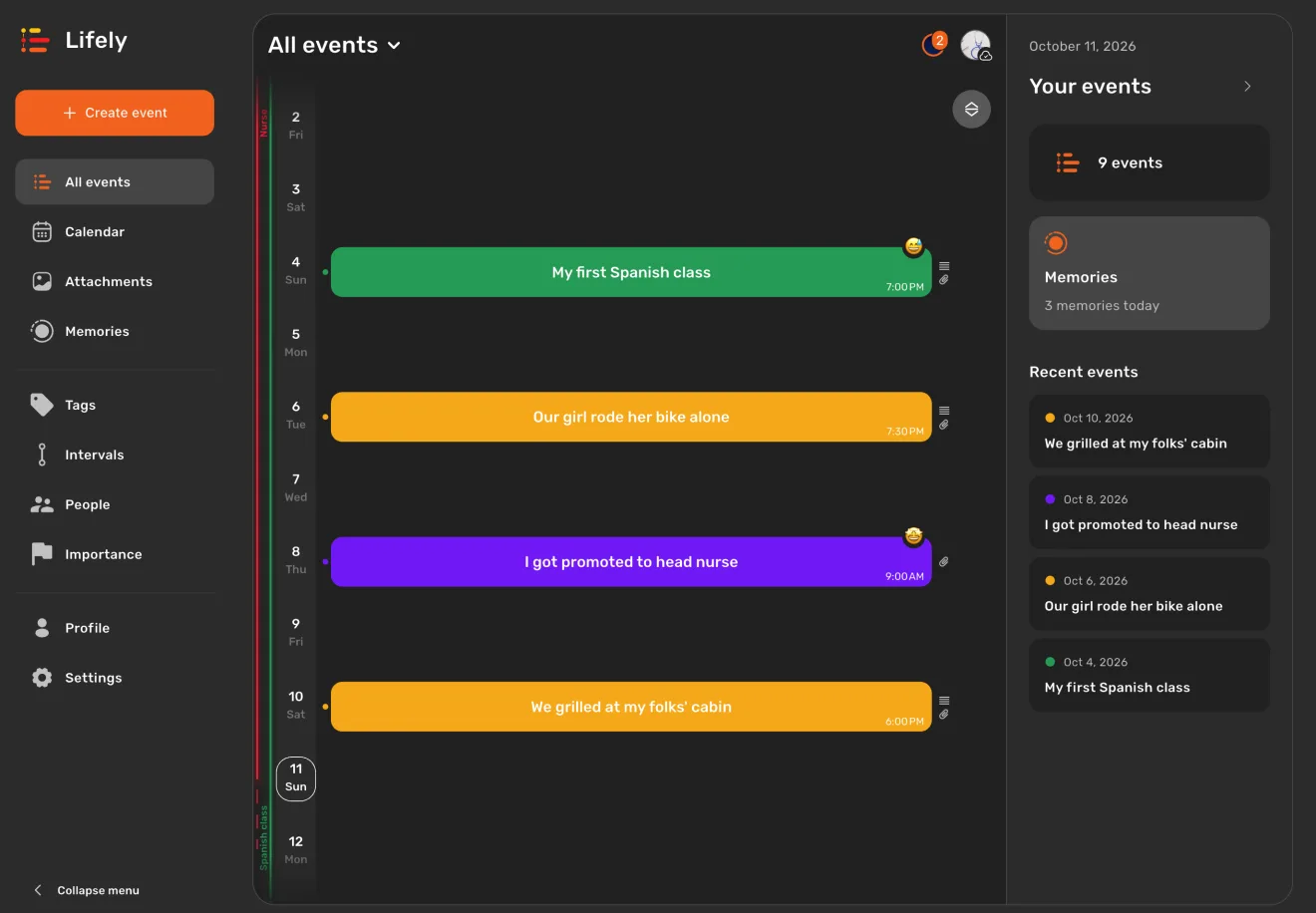
Use the same Apple or Google account everywhere. If a fresh entry hasn't shown up yet, the account and sync guide walks you through a quick check. Lifely also has a home on iPad and Android tablets.
Frequently asked questions
Is there a Lifely app for Mac?
Yes. Lifely is on the Mac App Store for Macs with Apple silicon (M1 or later) running macOS 12 or later. It installs like any other app and opens in its own window.
Why does the App Store say Designed for iPad?
Lifely on Mac is the same app as on iPad, with the layout we built for large screens: a side menu, your timeline and an overview panel. Apple labels apps made this way Designed for iPad. You may also see Not verified for macOS: that refers to an optional Apple review step, and Lifely installs and runs the same either way.
Will my diary from iPhone or Android show up on my Mac?
Yes. Sign in on your Mac with the same Apple or Google account you use on your phone, and your events, people, photos and memories load into the Mac app. Changes sync between devices while they are online.
How do I find Lifely when searching the Mac App Store?
Search for Lifely and switch the results to iPhone & iPad Apps. Or use the Mac App Store link on this page, which opens the listing directly.
Can I use Lifely on an Intel Mac?
The Mac App Store version needs Apple silicon. On an Intel Mac, open app.lifely.page in your browser and sign in to the same diary. A few features differ in the browser; the account and sync guide lists them.
Apple explains how iPhone and iPad apps run on Macs with Apple silicon.
Related guides: Use Lifely across devices · Explore your timeline · iPad and Android tablets
Free download with in-app purchases and ads. Some features require Premium. Your local store and the app show current availability and prices.