 Lifely
 on every screen
Lifely for iPad and Android tablets
On a tablet, Lifely shows years of your life on one screen the moment you open it. Install it from the App Store on iPad or Google Play on Android, sign in with the account from your phone, and your diary is already there.
Your years, all at once
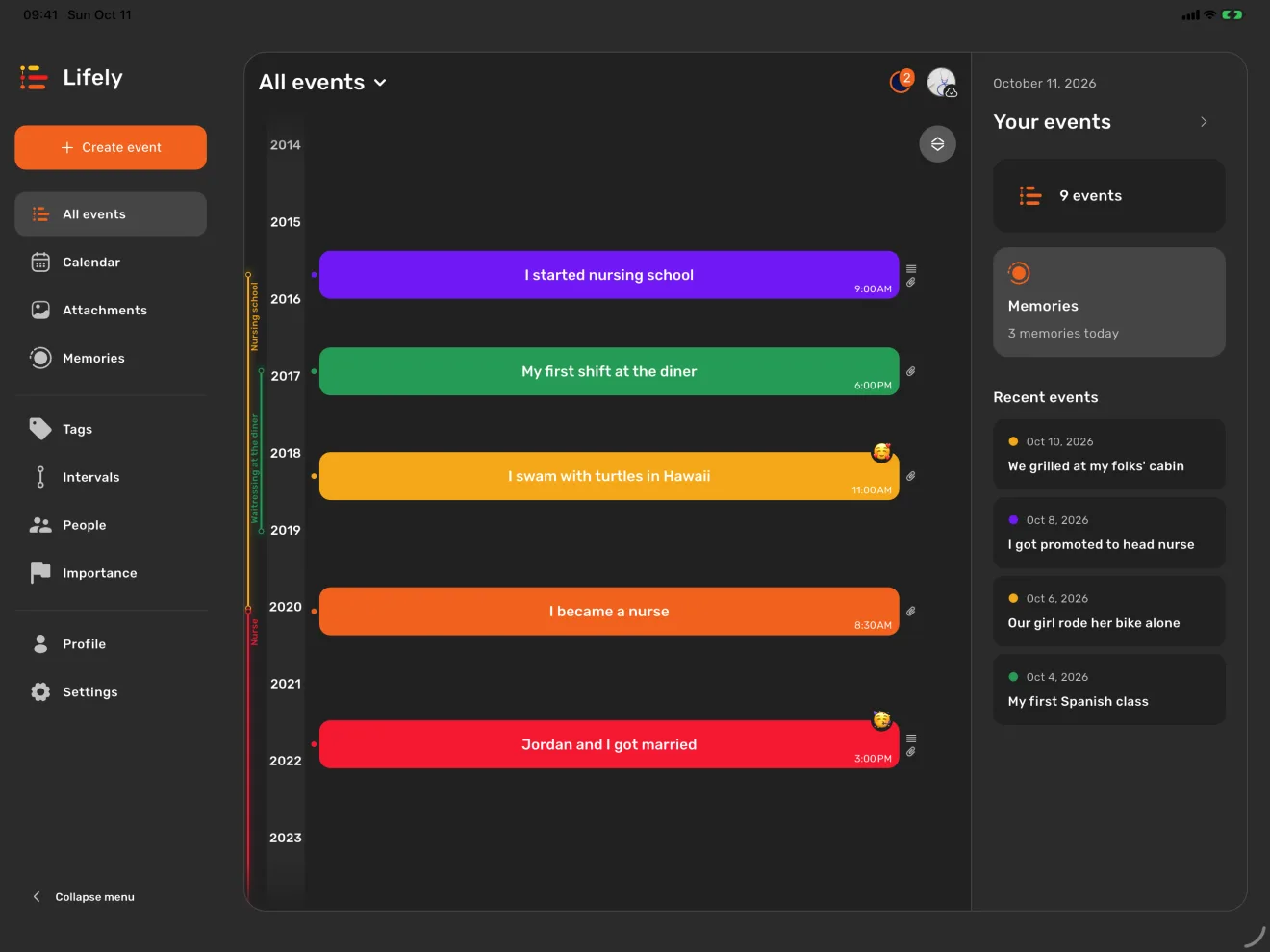
Lifely is a life timeline and diary for iPhone, iPad, Android, Mac and the web. On a tablet it spreads out: the menu on the left, your timeline in the middle, and on the right your latest events and today's memories. Everything is one tap away.
Pinch the timeline and it glides from decades down to a single morning. Tap an event and it opens right beside the timeline, with its photos, the people who were there and the song from that day, so you never lose your place.
Hold it any way you like
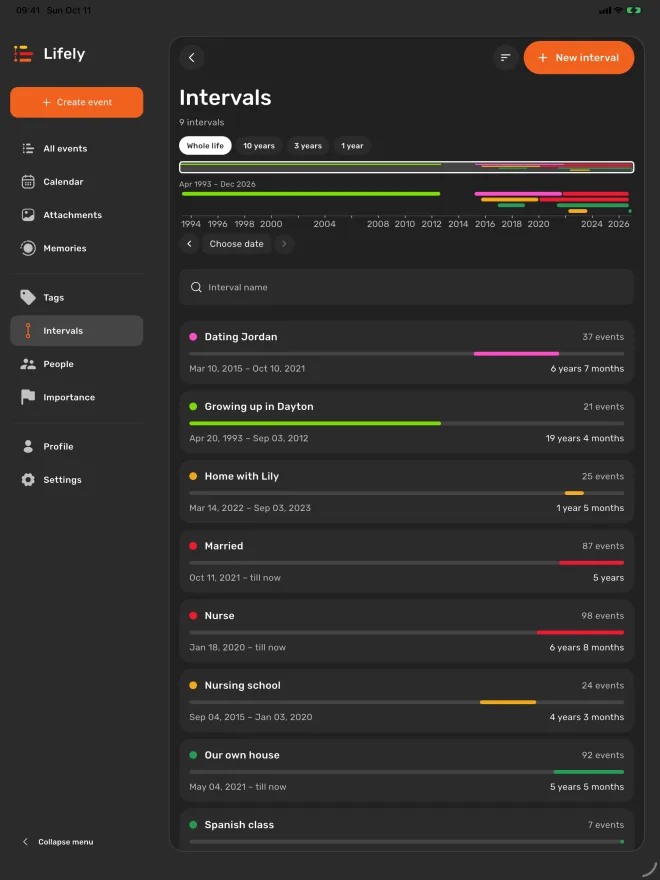
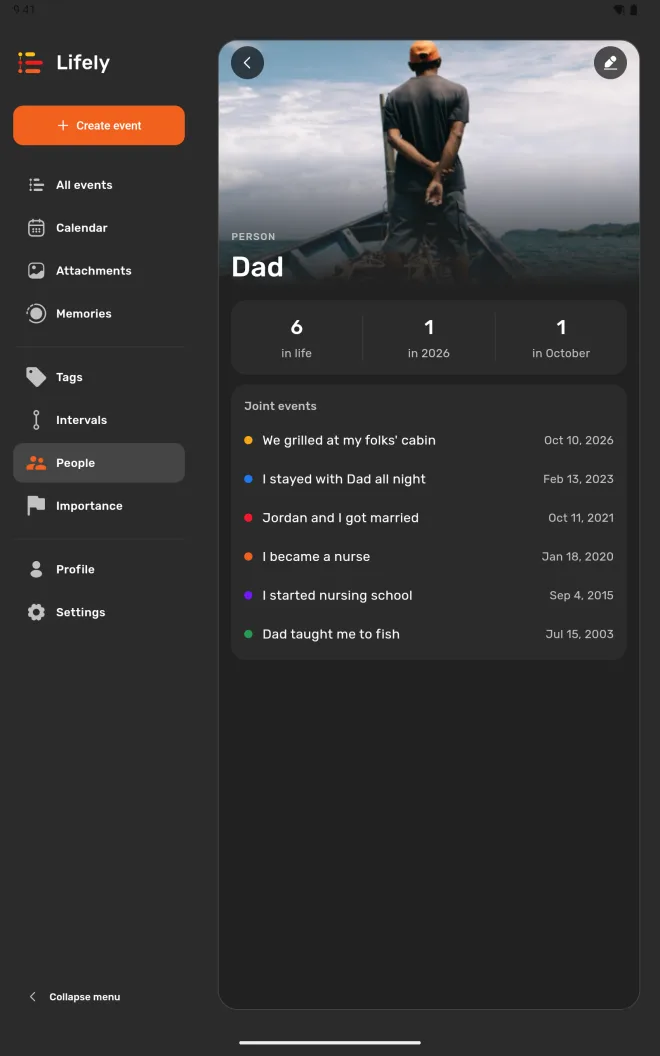
Turn your tablet upright and Lifely turns with it, keeping the same date and zoom on your timeline. Portrait is lovely for lists: the chapters of your life, the people in your story, or one person's page with every moment you've shared.
On iPad, open Lifely next to Photos or Notes in Split View. When the space gets narrow, Lifely switches to its compact phone layout, and spreads out again when you give it room.
Install Lifely on iPad
- Open the listing. Follow the Lifely App Store link on your iPad. It opens Lifely by Sheep Apps Inc.
- Tap Get. Confirm the download if your iPad asks, then open Lifely.
- Sign in the way you do on your phone. Choose Apple or Google, whichever you used before, and your diary loads. New to Lifely? Pick either one and add your first moment.
Install Lifely on an Android tablet
- Open the listing. Follow the Lifely Google Play link on your tablet.
- Tap Install. Open Lifely when the download finishes.
- Sign in with Google. Use the same Google account as on your other devices, and your diary loads.
Started your diary with Apple sign-in on an iPhone? Android doesn't offer Apple sign-in, so read the account and sync guide before you sign in on the tablet.
One diary on every screen
Jot down a moment on your phone during the day. In the evening, curl up with your tablet: it's on your timeline, ready for photos and the whole story. Lifely keeps one diary across iPhone, iPad, Android phones and tablets, Mac and the web, and syncs it through your account whenever your devices are online.
Use the same account everywhere. If a fresh entry hasn't arrived yet, the account and sync guide walks you through a quick check. At your desk, try Lifely for Mac or open the web app.
Frequently asked questions
Does Lifely have an iPad app?
Yes. Lifely is on the App Store for iPad with iPadOS 15 or later. It has its own large-screen layout, works in portrait and landscape, and runs next to other apps in Split View.
Does Lifely work on Android tablets?
Yes. Install it from Google Play on a tablet running Android 7.0 or later. On a tablet, Lifely uses the same large-screen layout as on iPad and turns with your device.
Can I use the same diary on my phone and tablet?
Yes. Sign in with the same account on both, and your events, people, photos and memories sync between them while they are online. On iPad you can sign in with Apple or Google; Android offers Google sign-in.
My diary uses Apple sign-in. Can I open it on an Android tablet?
Android doesn't offer Apple sign-in, and a new Google sign-in starts a separate diary. Write to Lifely support at lifely@sheep-apps.com before you sign in on the tablet, and we'll walk you through the options.
Can I use Lifely in a tablet browser instead?
Yes. Open app.lifely.page and sign in to the same diary. The installed app can do a few things the browser can't, such as notifications, places on events and recording moments offline.
Related guides: Explore your timeline · Create life intervals · Add people to your memories · Lifely for Mac
Free download with in-app purchases and ads. Some features require Premium. Your local store and the app show current availability and prices.